> ## Documentation Index
> Fetch the complete documentation index at: https://docs.pornx.co/llms.txt
> Use this file to discover all available pages before exploring further.
# Quickstart: generate your first AI image
> Follow this step-by-step quickstart to generate your first AI image on PornX in under a minute using a text prompt, model, and settings.
Pick a prompt, pick a model, generate. That's the full loop.
## Generate your first image
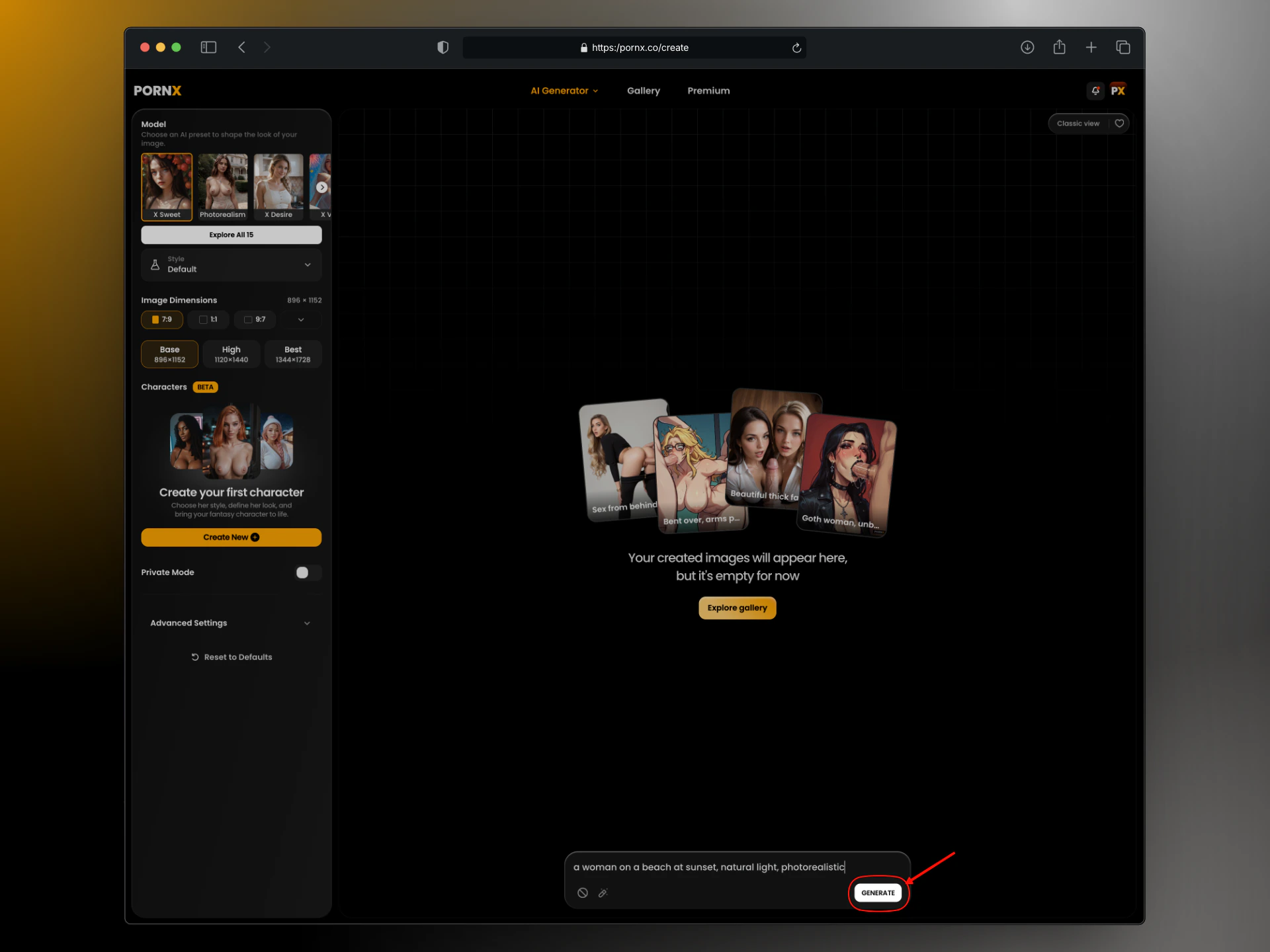
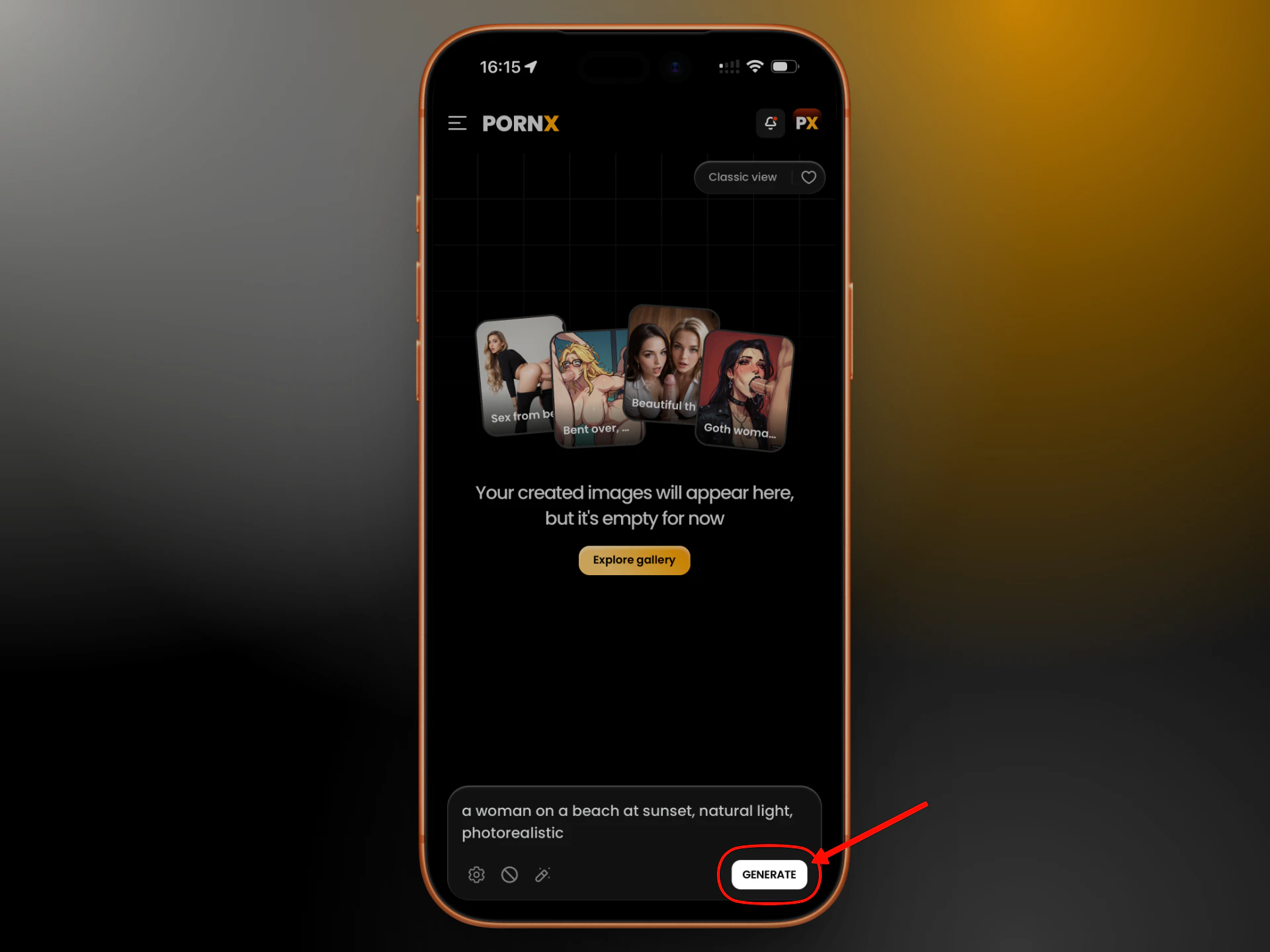 Go to [pornx.co/create](https://pornx.co/create).
Type what you want in the prompt field. A single sentence is enough to start — for example: `a woman on a beach at sunset, natural light, photorealistic`
Prompt Enhancer is on by default — it expands short prompts automatically. You can leave it on.
Free accounts have access to **X Sweet**, **Photorealism**, **Anime**, **2.5D**, **Semi-Realism**, and **Cartoon**. Pick the one that matches what you're going for. Not sure? Start with Realism.
Click **Generate**. Your result appears in a few seconds.
That's it. Everything else — LoRAs, Styles, Actions, InPaint, video — layers on top of this same loop.
## What to try next
Didn't get what you wanted? Two things move the needle fastest:
* **Change the model.** Each model interprets the same prompt differently. See [Models](/image-generation/models).
* **Improve the prompt.** Structure matters more than length. See [Prompting Basics](/prompting/basics).
Want more control over the output? See [Parameters](/image-generation/parameters) for resolution and seed options.
Ready to animate? See [Video: Workflow](/video-generation/workflow).
Eight models, each tuned for a different visual style.
How to structure a prompt that gets consistent results.
Fine-tune style, character, or anatomy on top of any model.
Animate your generations or go straight to text-to-video.
Go to [pornx.co/create](https://pornx.co/create).
Type what you want in the prompt field. A single sentence is enough to start — for example: `a woman on a beach at sunset, natural light, photorealistic`
Prompt Enhancer is on by default — it expands short prompts automatically. You can leave it on.
Free accounts have access to **X Sweet**, **Photorealism**, **Anime**, **2.5D**, **Semi-Realism**, and **Cartoon**. Pick the one that matches what you're going for. Not sure? Start with Realism.
Click **Generate**. Your result appears in a few seconds.
That's it. Everything else — LoRAs, Styles, Actions, InPaint, video — layers on top of this same loop.
## What to try next
Didn't get what you wanted? Two things move the needle fastest:
* **Change the model.** Each model interprets the same prompt differently. See [Models](/image-generation/models).
* **Improve the prompt.** Structure matters more than length. See [Prompting Basics](/prompting/basics).
Want more control over the output? See [Parameters](/image-generation/parameters) for resolution and seed options.
Ready to animate? See [Video: Workflow](/video-generation/workflow).
Eight models, each tuned for a different visual style.
How to structure a prompt that gets consistent results.
Fine-tune style, character, or anatomy on top of any model.
Animate your generations or go straight to text-to-video.