
Creating a character
Go to the Image Generator and tap Create New in the Characters panel. Character creation takes four steps:1
Choose Style
First, pick a visual style for your character — Realistic for photographic output, Anime for illustrated. This choice affects how all other attributes are rendered.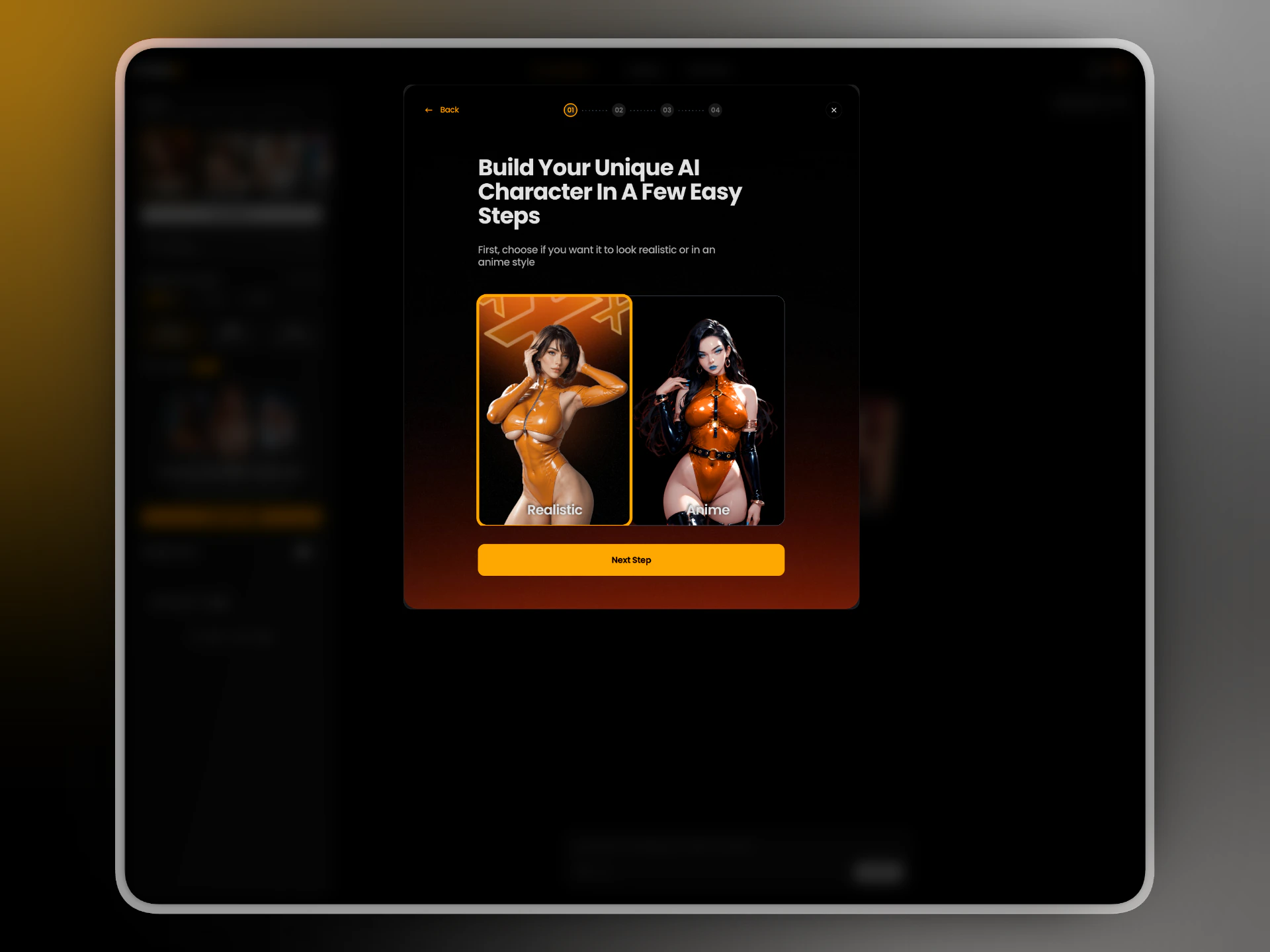
2
Basic Identity
Set the character’s name, sex, age, and ethnicity. The name is just a label for your own reference — it doesn’t affect generation. Use the dice icon to generate a random name.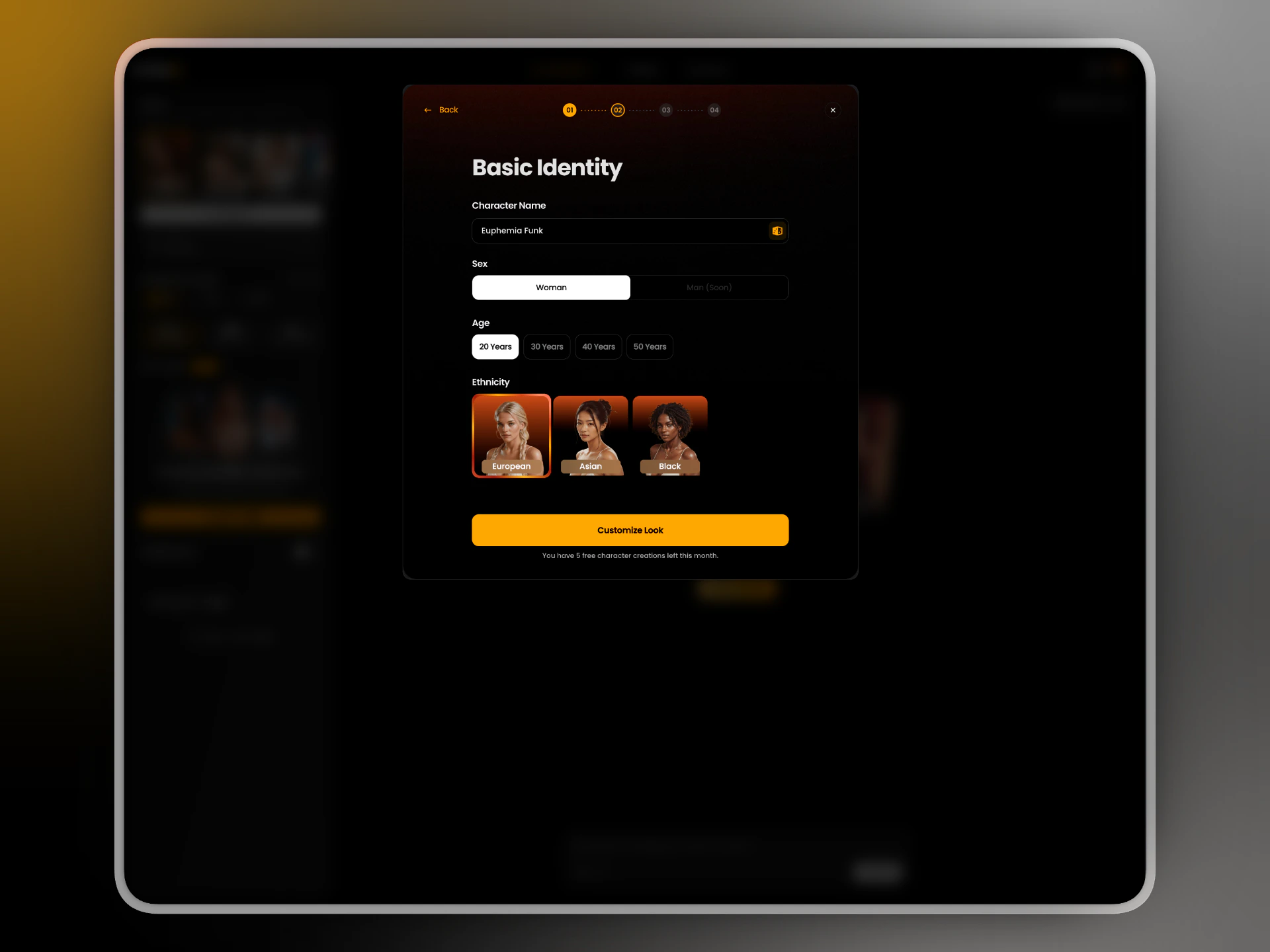
Male characters are coming soon. Female only for now.
3
Appearance
Choose body type, breast size, butt size, hair style, hair length, hair color, and eye color. Each option shows a visual reference so you know exactly what you’re selecting.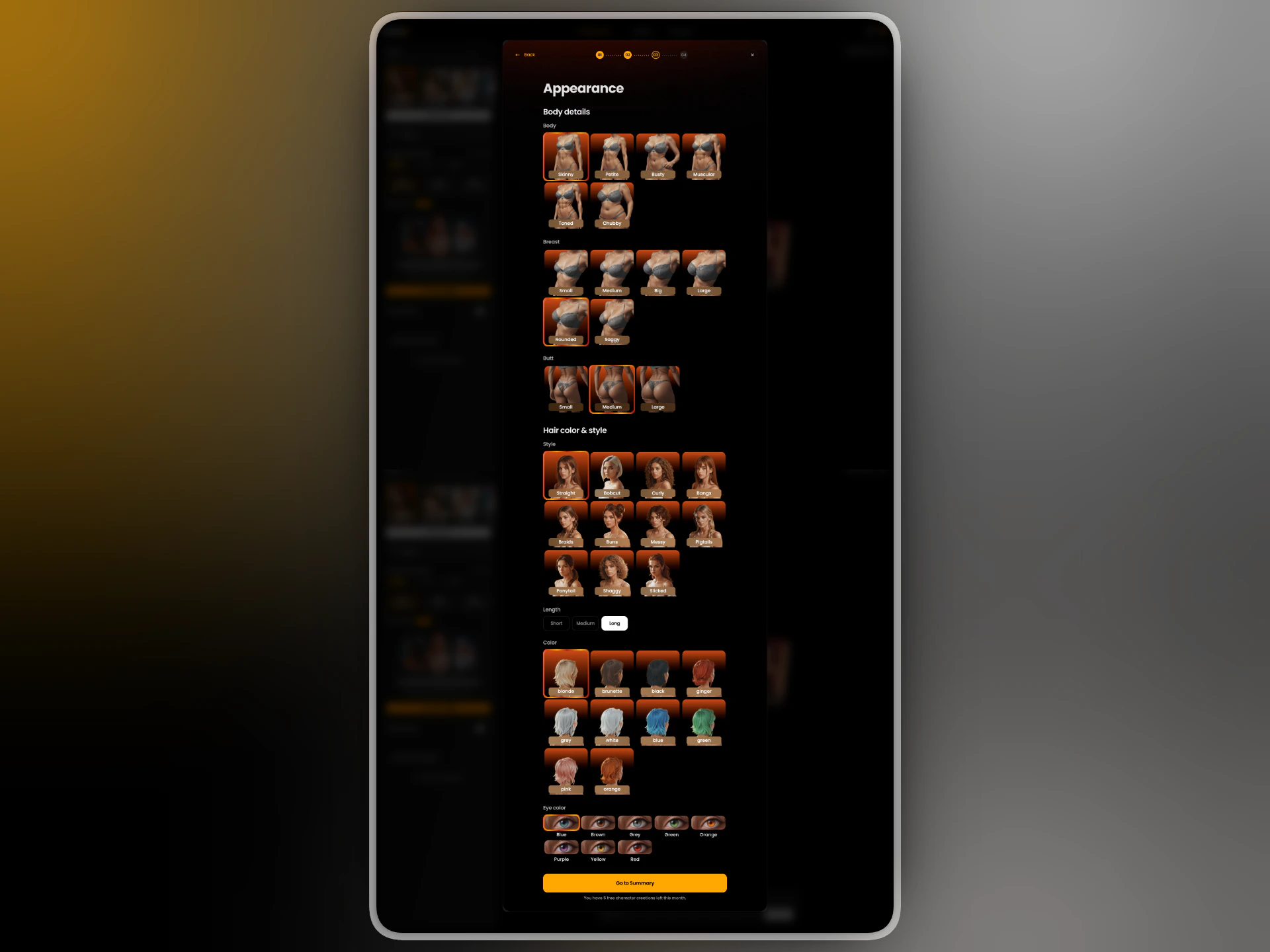
4
Summary
Review all selected attributes and the generated preview image. If the result doesn’t match what you had in mind, tap Regenerate — regeneration is currently free. When satisfied, tap Make it real to save the character.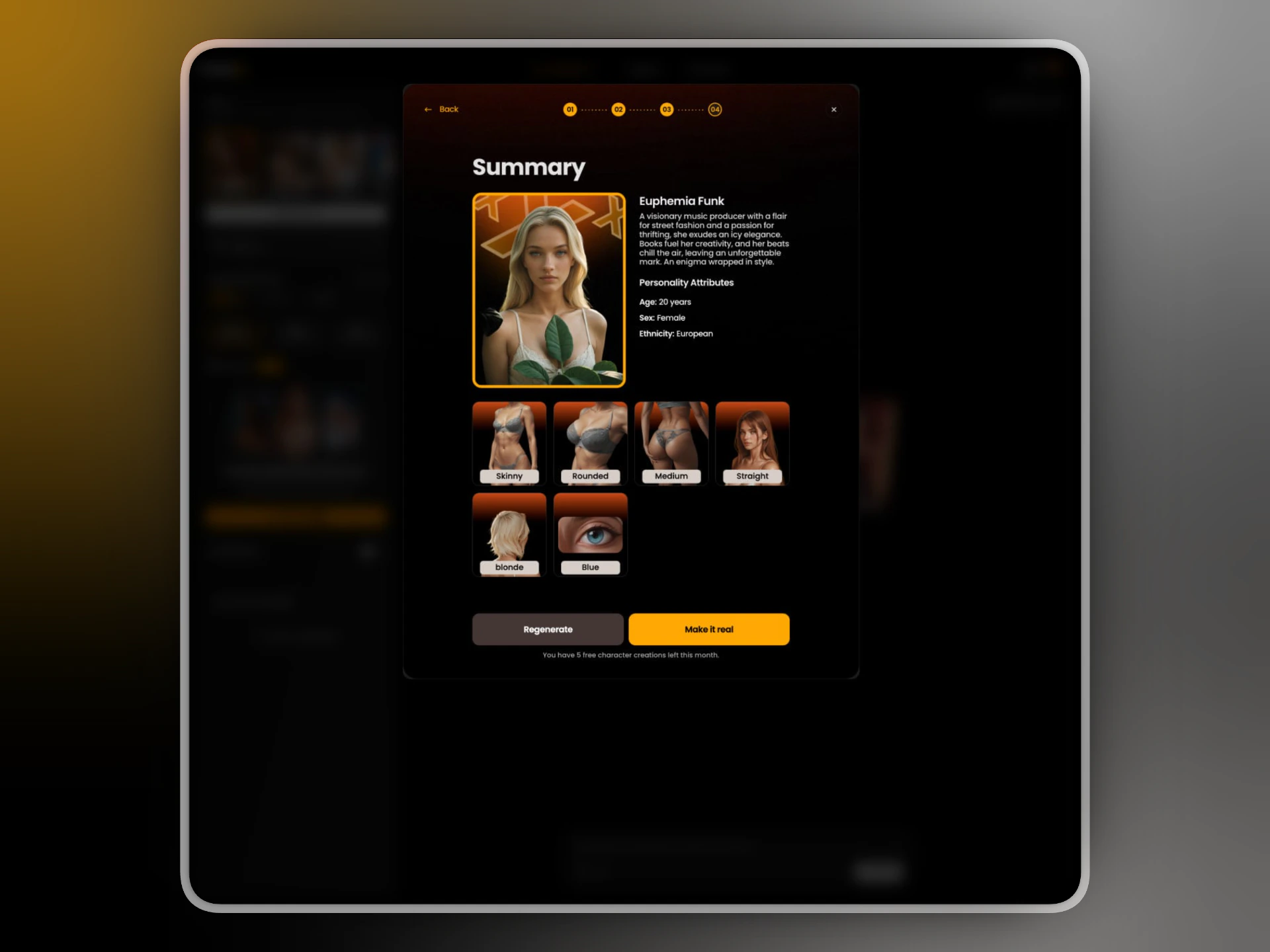
Creation limits
Premium subscribers get 5 free character creations per month. The remaining count is shown at the bottom of every step.Using a character
Once created, your characters appear in the Characters panel on the Image Generator page. Select one before generating — the selected character is highlighted with an orange border. When a character is selected, your prompt should describe the action or scene only — not the person. The model reads the character’s appearance from the saved profile. ✓ lying on a bed, soft morning light, white sheets ✗ a redhead woman with blue eyes lying on a bed See Generating with Characters for prompt tips and examples.What you can do with characters
Generate images
Create photos and illustrations featuring your character.
Animate with Image to Video
Turn a character image into a short video clip.